Typewriter effect
Create a typewriter effect animation with CSS variables and just a sprinkle of JavaScript.

30 seconds of code contains a curated collection of code articles covering a wide range of development needs. The collection spans many topics, ranging from simple coding problems to theoretical concepts and development techniques.


Create a typewriter effect animation with CSS variables and just a sprinkle of JavaScript.

Evenly distribute child elements within a parent element, using Flexbox.

Create a horizontally or vertically scrollable image gallery.

Create a content container with a triangle at the top, much like a speech bubble.

A toggle switch is little more than a checkbox with a custom appearance. This article shows you how to create one without using JavaScript.

Learn how to create a shadow similar to box-shadow, but based on the colors of the element itself.

Use this CSS selector to create a striped list with alternating background colors.

Create a responsive image mosaic, using CSS grid to create a grid layout and media queries to adjust the layout for different screen sizes.
Loading indicators are a staple of modern web design. Here are some CSS loaders to keep your users engaged while they wait.

Hide an element completely (visually and positionally) in the DOM while still allowing it to be accessible.

Staggered animations can be used to create a more dynamic user experience. Get creative with your lists!

Reset the box-model so that width and height are not affected by border or padding.

Inform your users of invalid input by shaking the input field.

Ever wanted to create an input with a visual, non-editable prefix? CSS can help you with that!

Learn how to create a list with floating or sticky headings for each section.

Add some life to your buttons with these simple CSS transitions.

Create a cool effect that fades out the siblings of a hovered item with a few lines of CSS.

Create a simple zoom in zoom out animation in CSS and elevate your designs.

Create an animated underline effect when the user hovers over some text.

Learn how to create text that scales according to the viewport width.

Fit and position an image appropriately inside its container while preserving its aspect ratio with this handy technique.

Create a horizontally or vertically scrollable container that will snap on elements when scrolling.

Dynamically transition an element's height, based on its content.
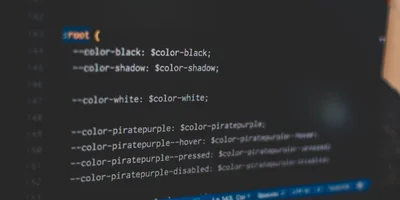
Learn how CSS custom properties (CSS variables) work and what you can use them for in your code and designs.